.png)
How to Submit a Progress Update
💡In Loop Logics, you have the ability to submit a progress update on a job under the PM Updates page. This page is the key location for Loop users to record and share information related to the progress of a job.
Steps:
-
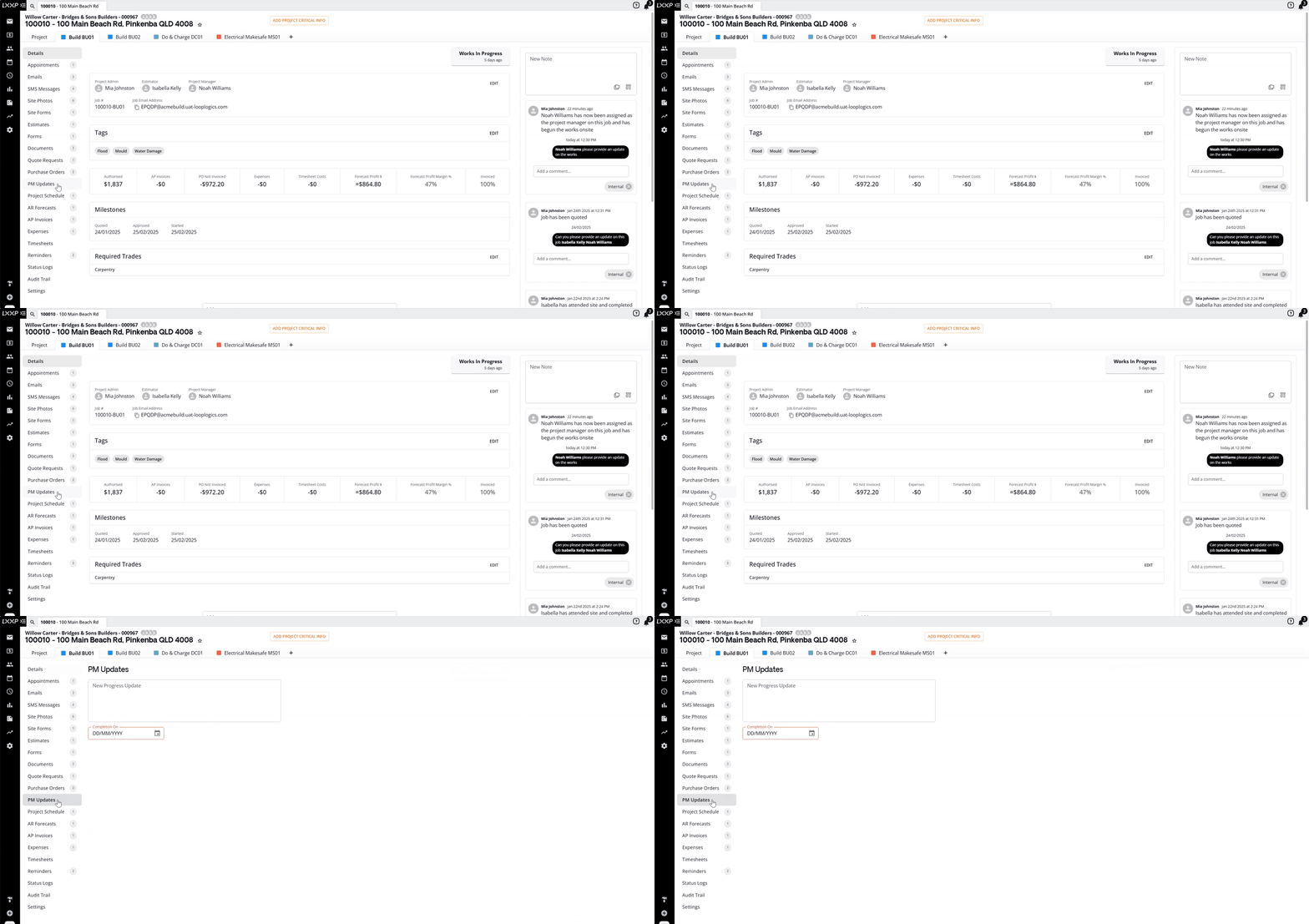
On the relevant job, select PM Updates from the left-hand side menu.
-
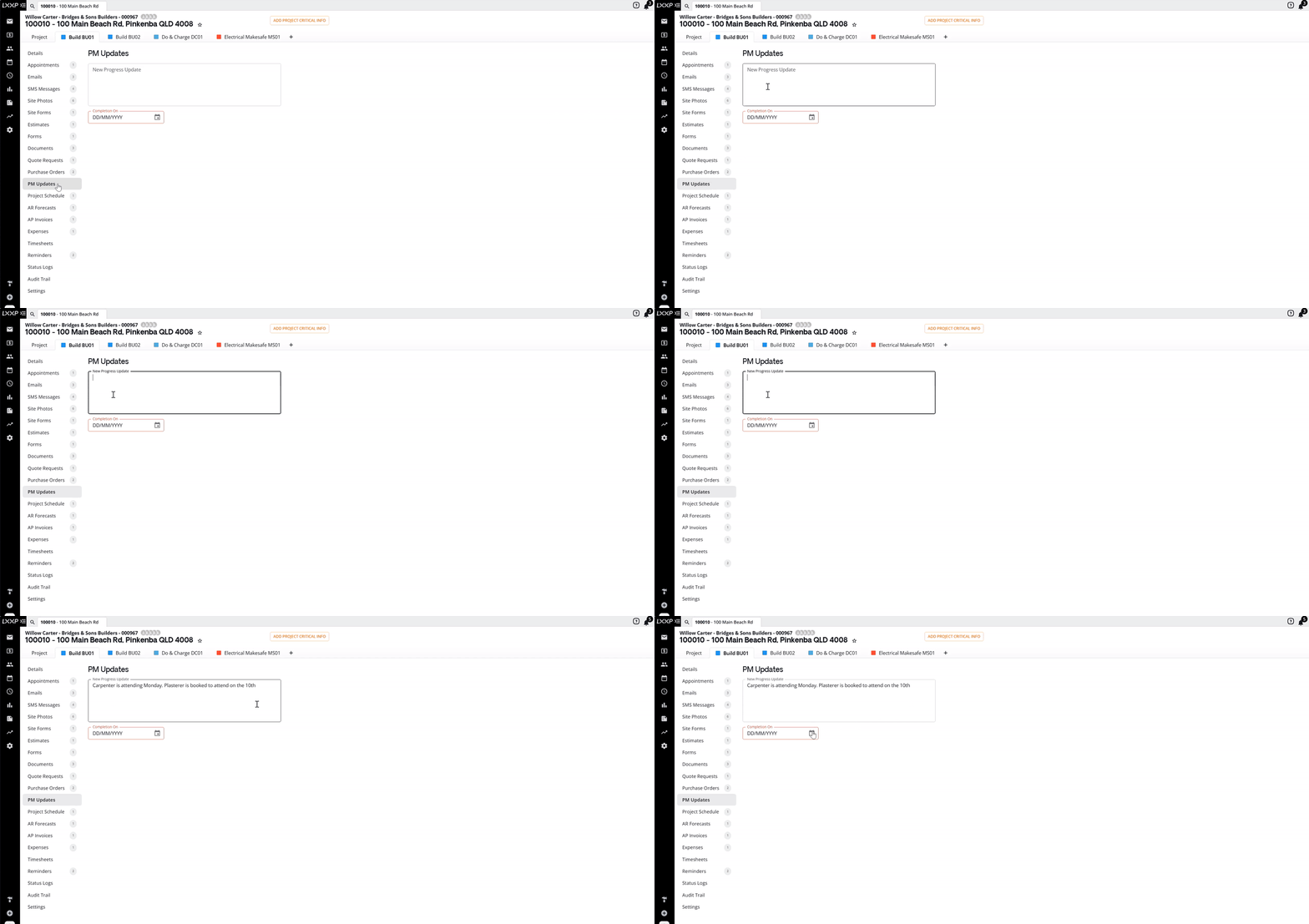
Select the New Progress Update box and type your update.
-
Select the expected Completion On date.
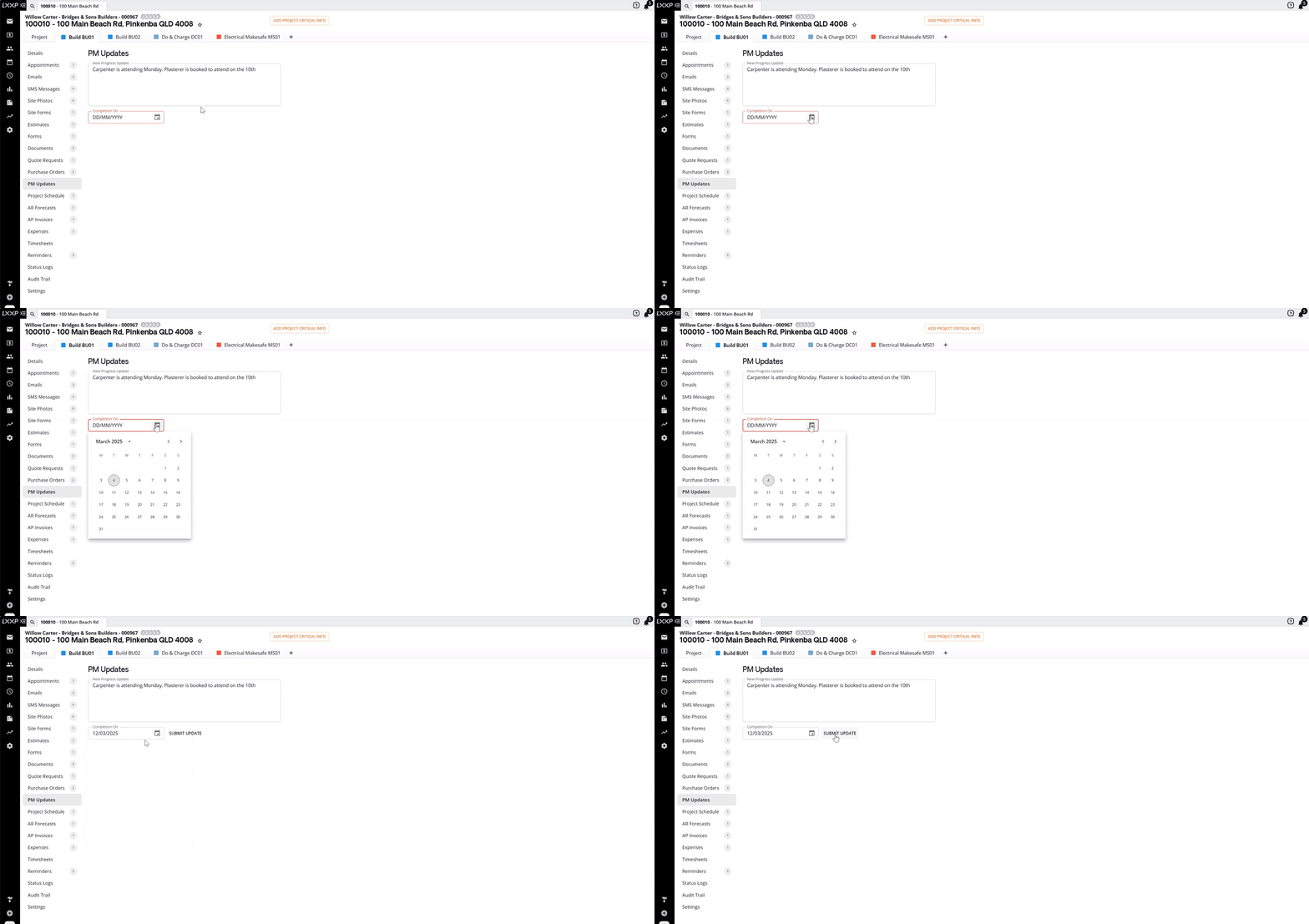
- Click Submit Update.

FAQ
Where can I find the PM Updates page? It's on the left-hand side menu of a job.
Why does the expected completion date matter? It's recorded alongside your update as the forecast completion date, so anyone reviewing the job's progress can see when it's expected to be finished.
How does Loop encourage regular progress updates? During the Works in Progress job status, the assigned Project Manager's dashboard displays, in a Last Update column against each job, the number of days since the last progress update was submitted, helping keep updates current.
Who gets notified when a progress update is submitted? When a Project Manager submits a progress update on a job, the Project Admin assigned to that job receives a notification under
❓ Need Help
If you have questions or need assistance, use the chat box in the bottom-right corner to contact the Loop Logics support team or email support@looplogics.com