.png)
How to Send a Quote Request
💡A quote request lets you invite one or more subcontractors or suppliers to quote on authorised scope items before you commit to a purchase order. Once a quote is received, you can review it in Loop Logics and approve it to generate a purchase order, or decline it.
Steps:
Sending a quote request
-
In the relevant job, select Quote Requests from the left-hand side menu, then select New Quote Request.
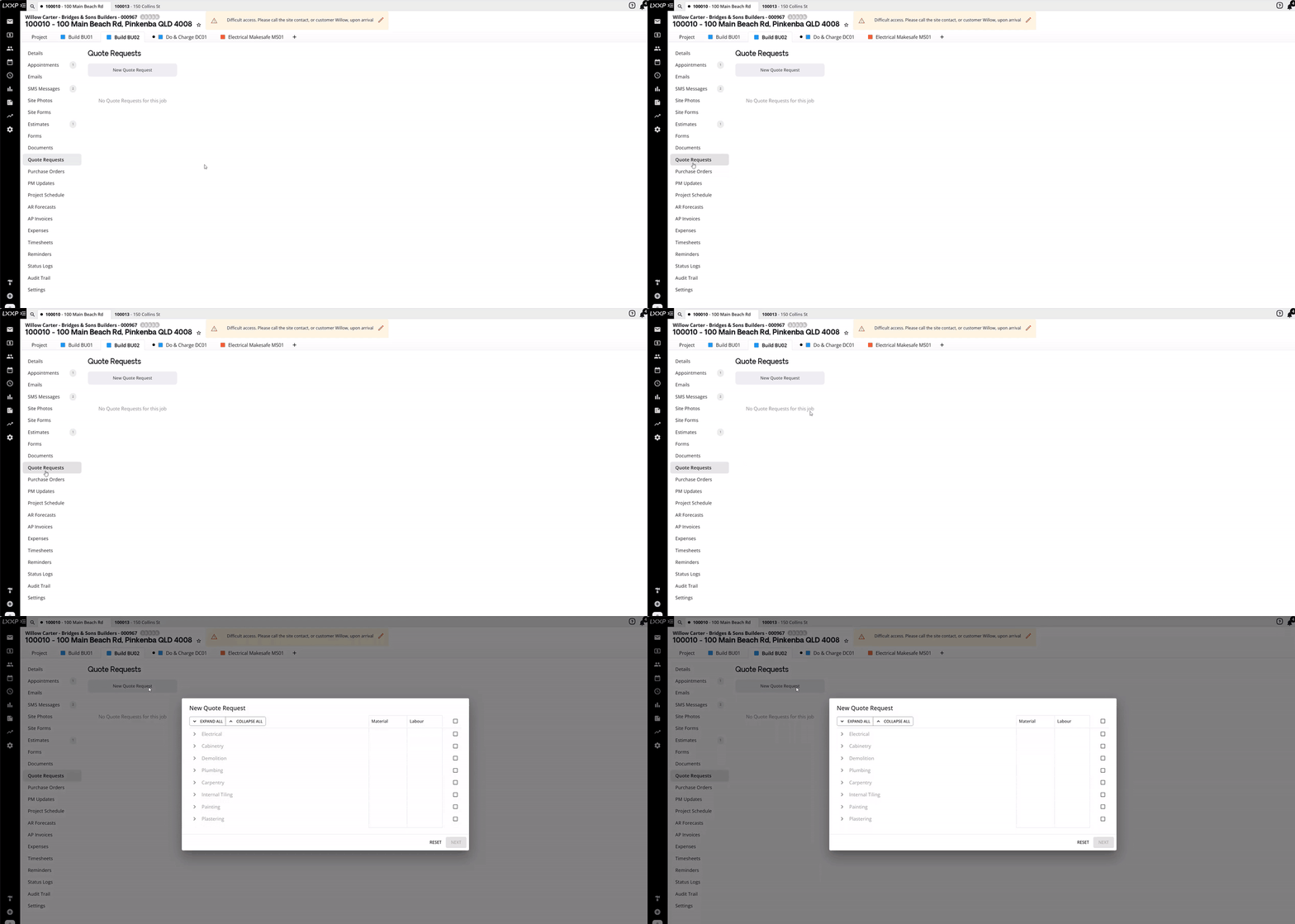
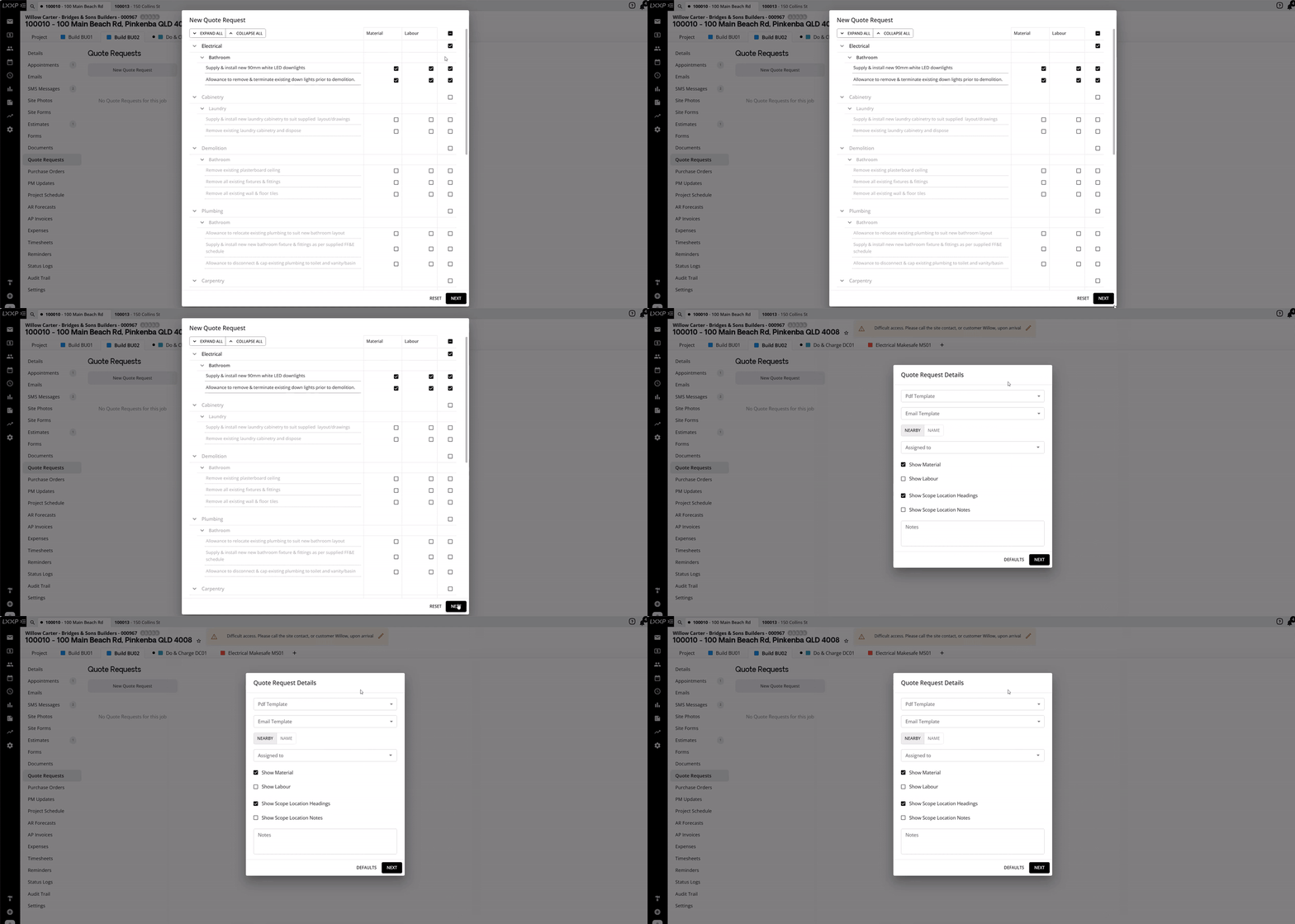
- You'll be presented with all authorised scope items, grouped together by cost centre. Expand a cost centre to view its associated line items and select the ones you want via the tick box.

-
Select Next.
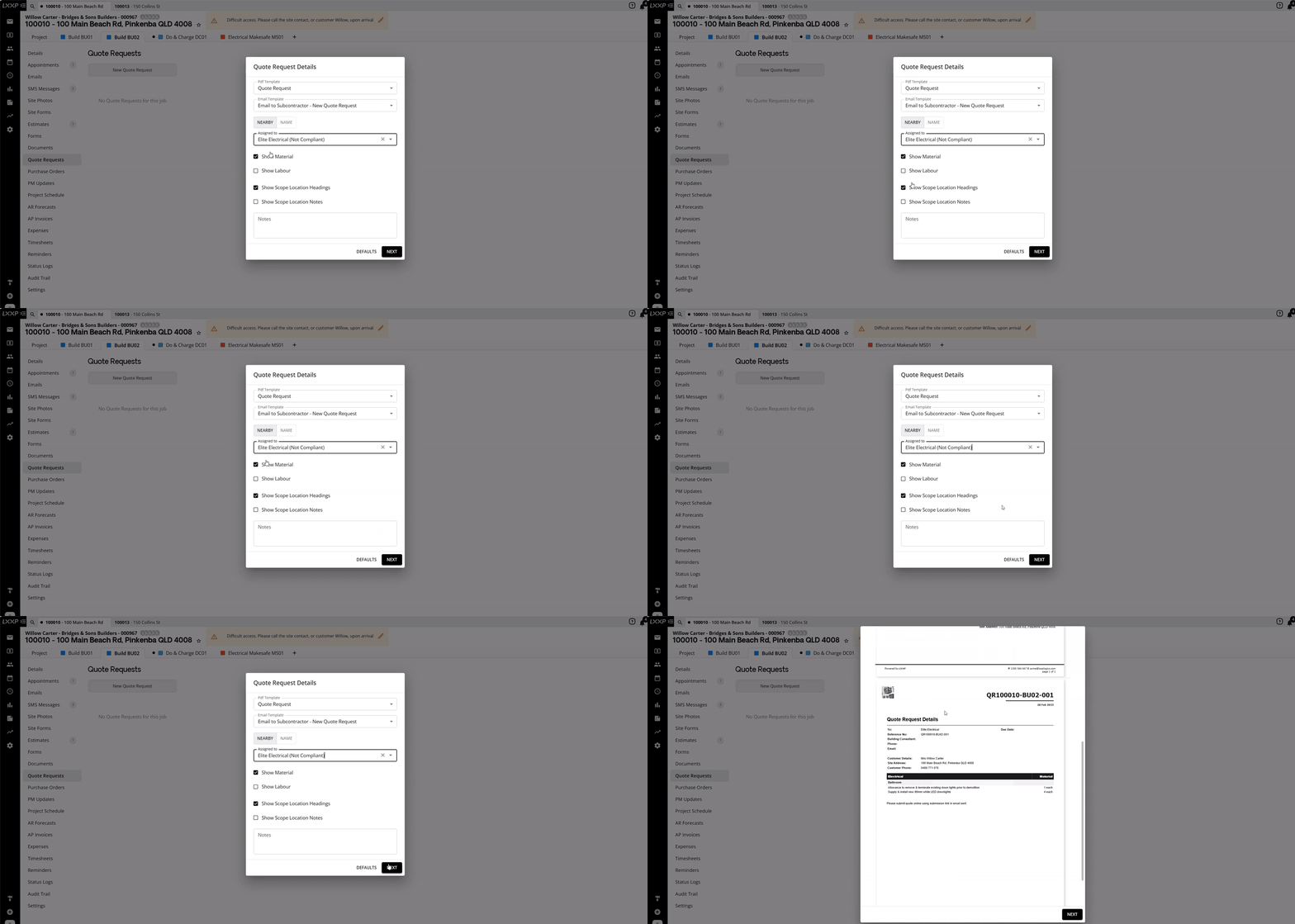
- On the Quote Request Details screen, select the quote request PDF template and the email to subcontractor template, then select the subcontractor or supplier you want to receive the request.

-
Select the relevant Show Material/Labour and Scope Location display boxes, and add any notes, then select Next.
-
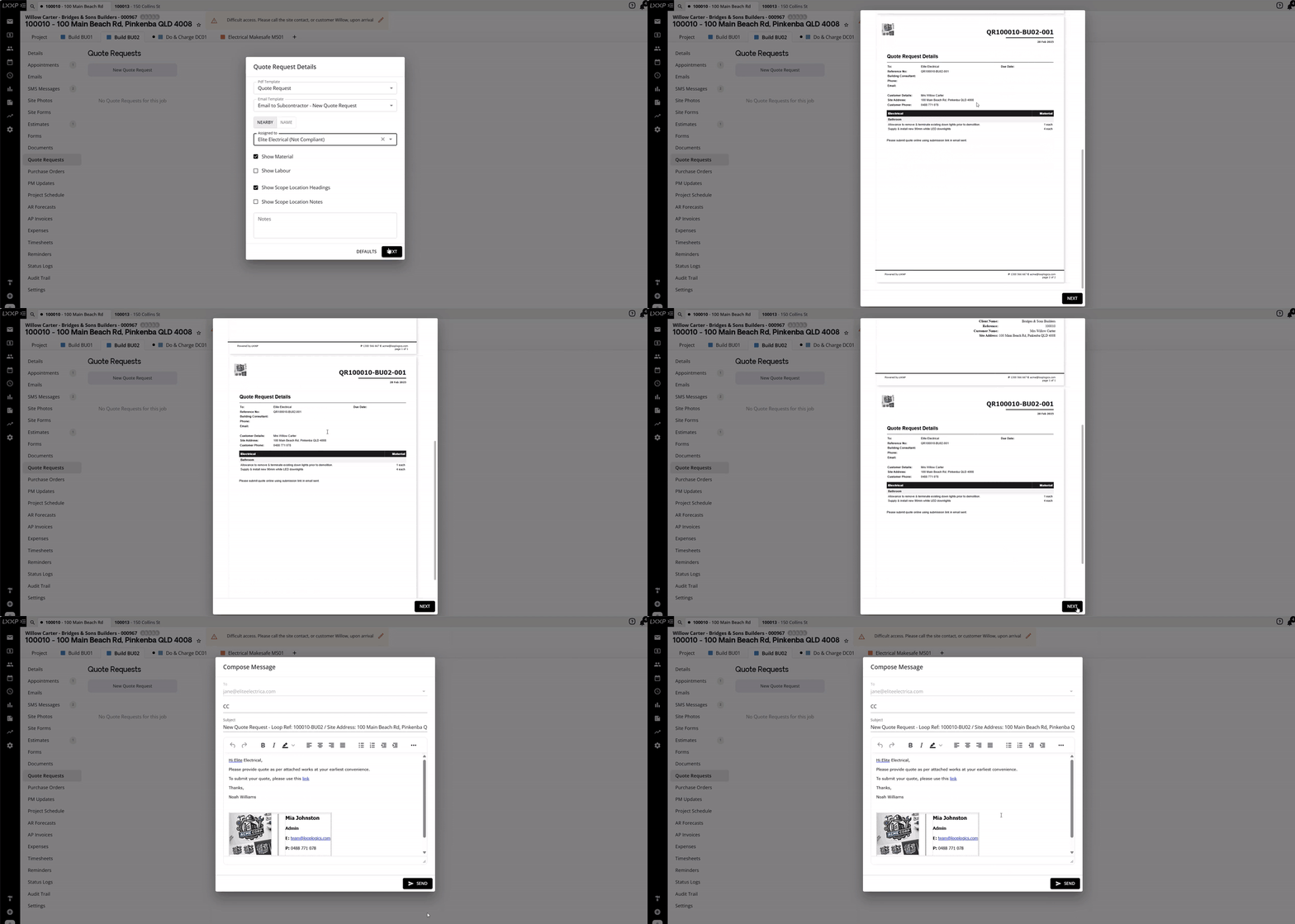
A preview of the quote request is generated for your review. Select Next to bring up the compose email screen, which attaches the quote request document and includes a link for the subcontractor to upload their quote back into Loop for your review.
-
Once you're happy with the email, select Send.
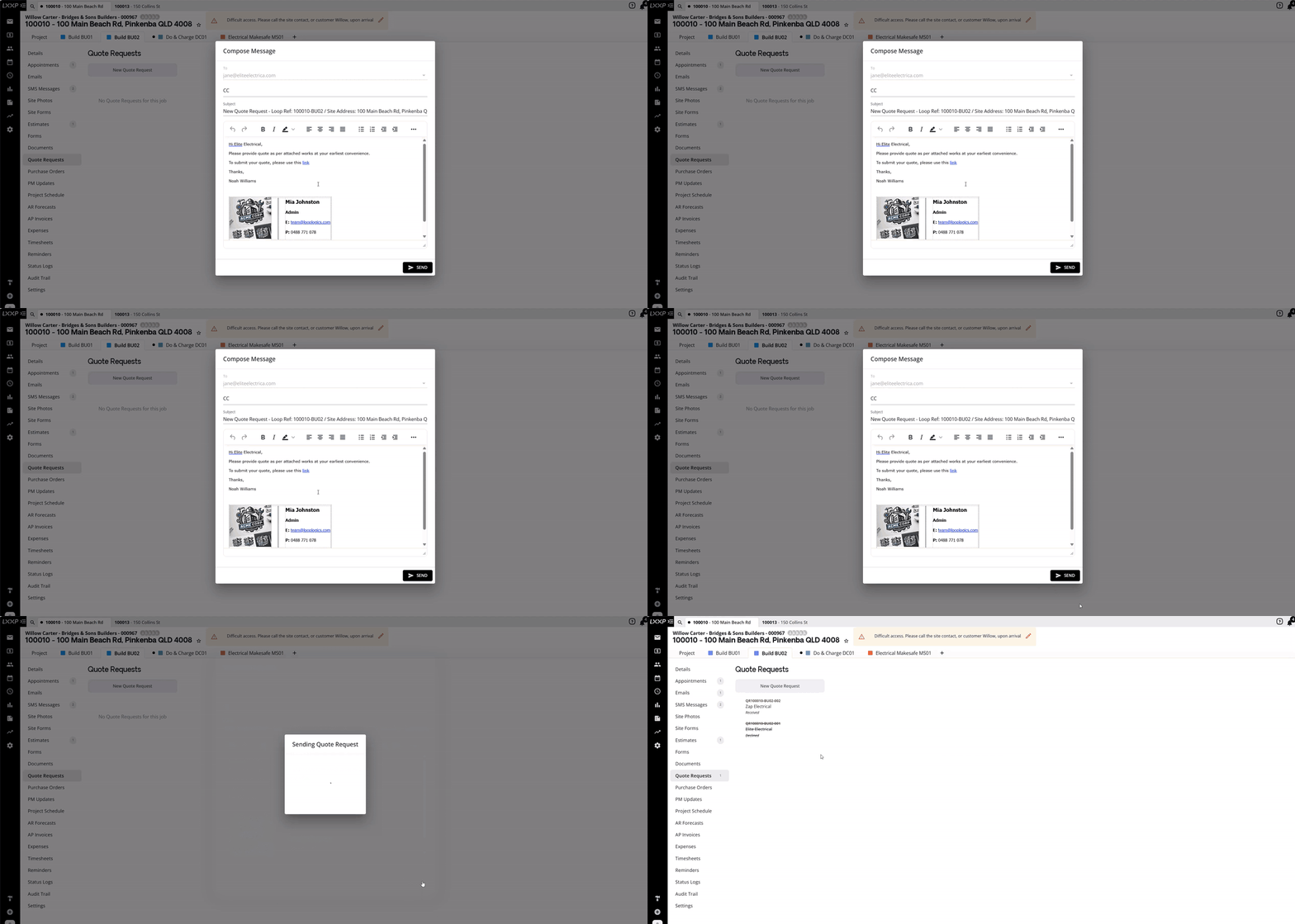
👉 You can send multiple quote requests for the same scope to different trades, each is tracked separately under Quote Requests.
Reviewing a quote
Once a subcontractor has completed their quote, they can submit it to Loop via the email link, or send it to you directly so you can upload it manually.
-
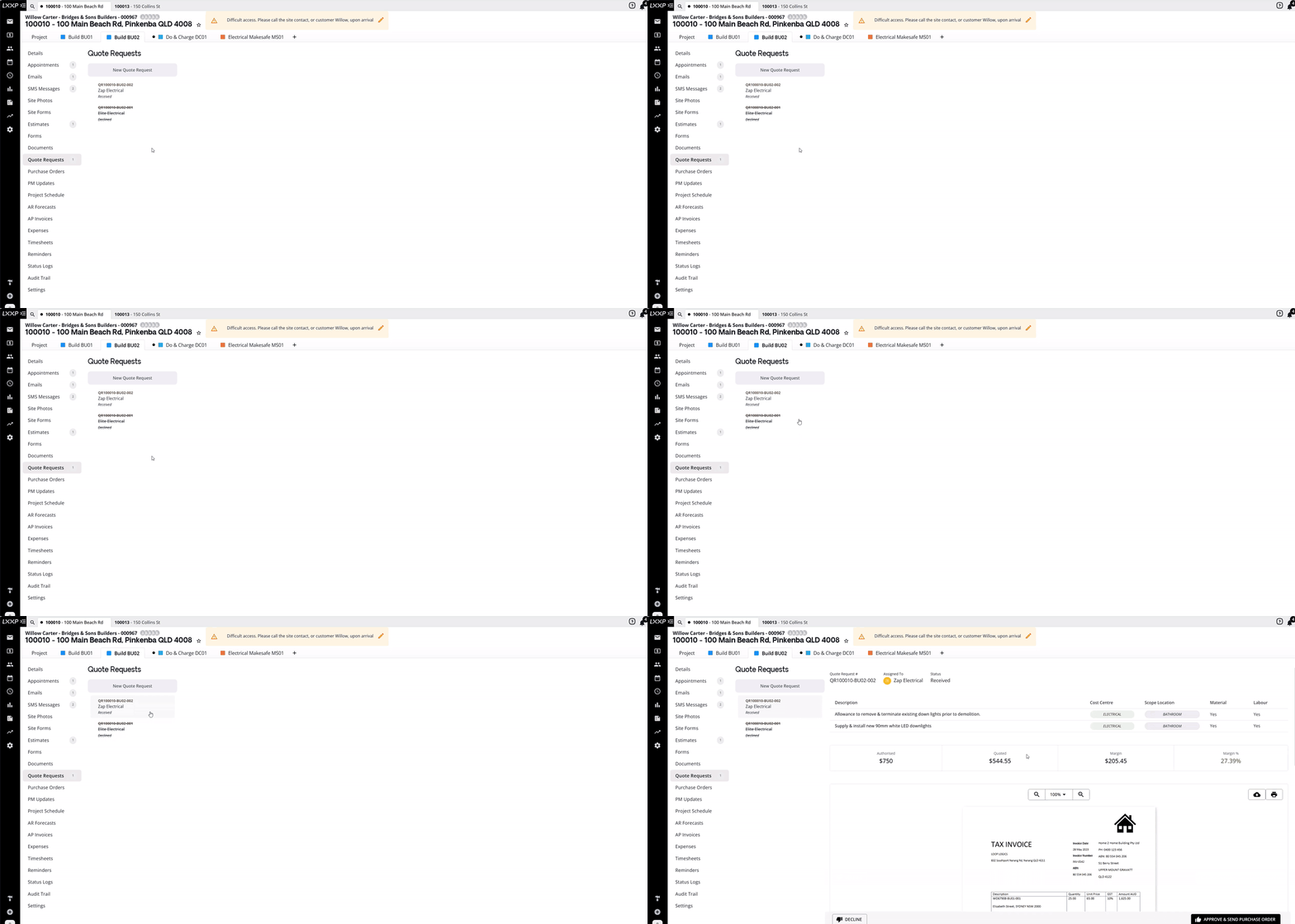
Open the relevant quote request under Quote Requests. Once a quote has been submitted, its status changes to Received and the quote document is available to view.
-
Review the quote in Loop.
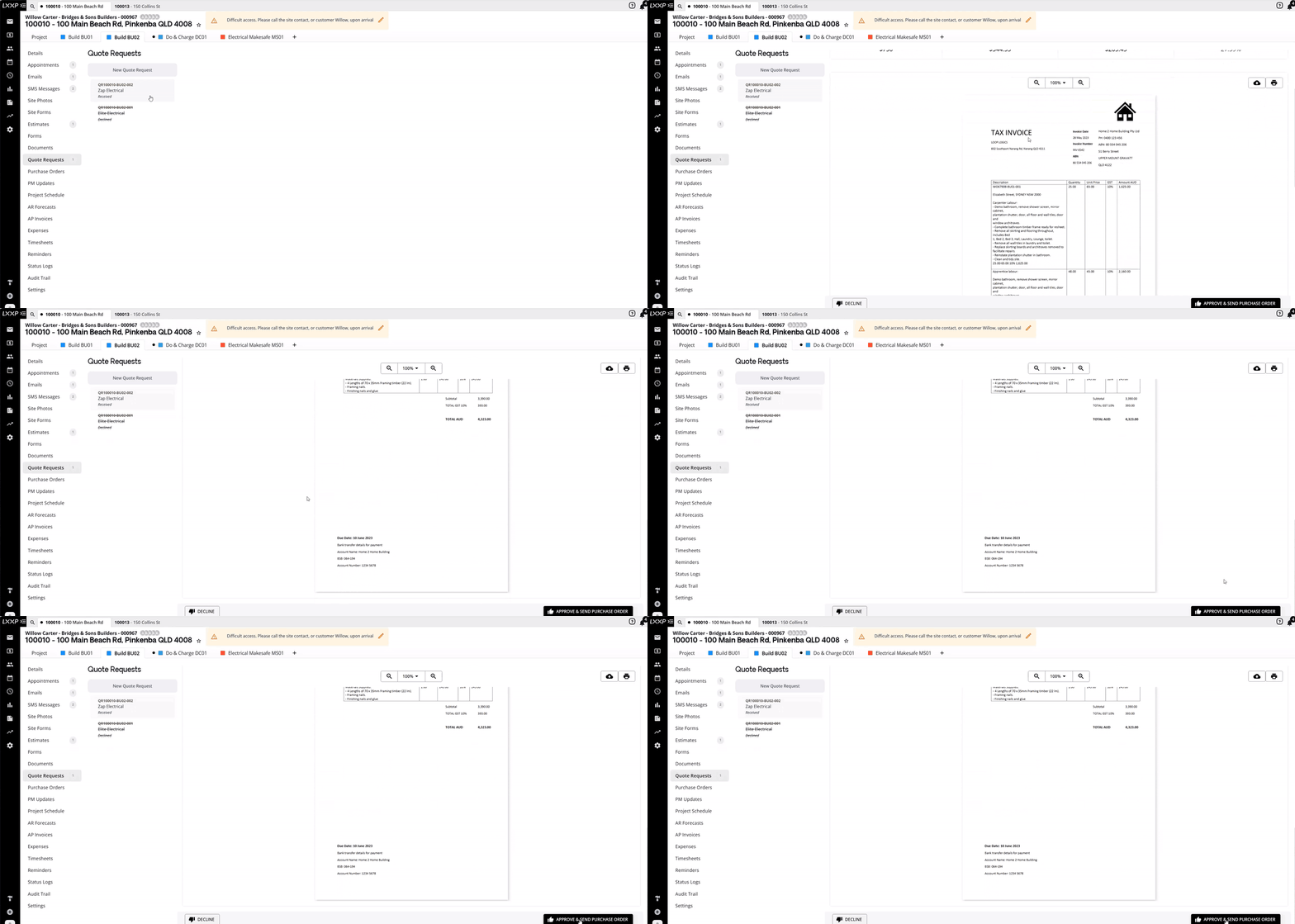
- Select Decline if you don't want to proceed with that quote, or Approve & Send Purchase Order to accept it.

👉 When you approve a quote, a purchase order corresponding to the quotation is created and sent to the subcontractor.
FAQ
Can I send quote requests to more than one subcontractor for the same work? Yes. You can send multiple quote requests to different trades for the same or overlapping scope items, each request and its status (for example, Received or Declined) is tracked separately.
What happens to a quote request I decline? A declined quote request remains visible in the list with a struck-through reference number and a status of Declined.
How does approving a quote turn into a purchase order? Selecting Approve & Send Purchase Order on a received quote automatically creates a purchase order matching the quoted amount and sends it to the subcontractor, you don't need to create the purchase order separately.
❓ Need Help
If you have questions or need assistance, use the chat box in the bottom-right corner to contact the Loop Logics support team or email support@looplogics.com