.png)
How to edit a Purchase Order
💡Editing a purchase order is useful when you've misplaced some information or need to add or remove a line item on a scope. The steps differ slightly depending on whether you're editing a Custom purchase order or a Fixed Price From Scope purchase order.
Steps:
Editing a Custom Purchase Order
- Navigate to the relevant purchase order under Purchase Orders.

- At the bottom of the screen, select Edit Purchase Order.

- In the Edit Custom Line Items dialog, edit the existing line item text, use Add Line Item to add a new one, or use the trash icon to remove one.

- Once you've edited the line items, select Next.

- On the Purchase Order Details screen, choose your PDF template, email template, and the subcontractor or supplier, then select Next.

- Review the compose message screen and select Send.

👉 The previous purchase order is now cancelled, and the edited purchase order is sent to the subcontractor as a new order.
Editing a Purchase Order From Scope
- Navigate to the relevant purchase order under Purchase Orders.

- At the bottom of the screen, select Edit Purchase Order.

- In the Edit Purchase Order dialog, tick or untick any locations, cost centres, or line items to include.

- Select how you'd like it priced: Do & Charge, Price By Cost Centre, or Price By Line Item.

- On the Purchase Order Amounts screen, you can also edit the purchase order amounts (quantity and rate) for the selected items.

-
Select Next.
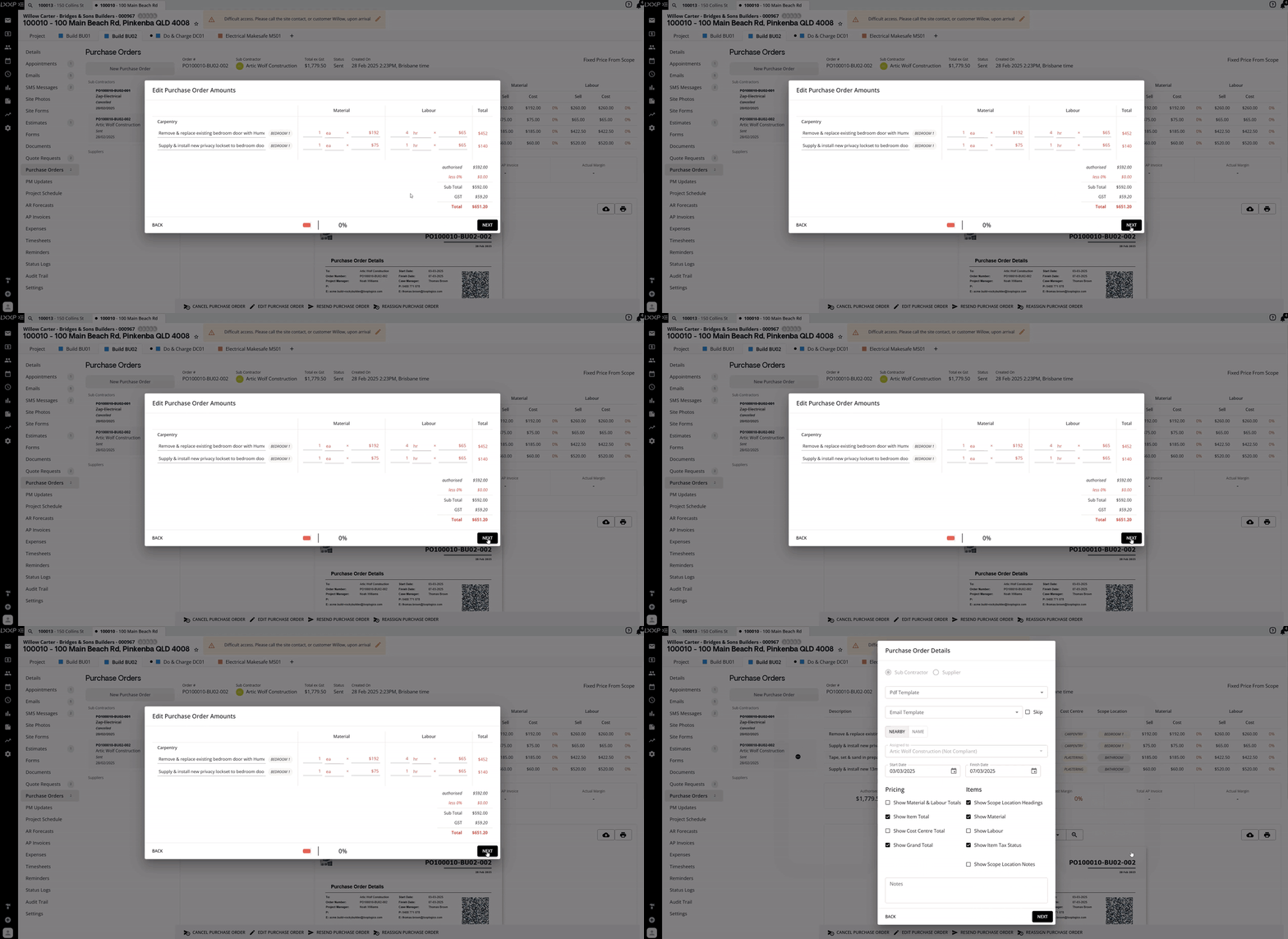
- Select the PDF template and the email template, and send it the same way you would a usual purchase order.

👉Like with a custom purchase order, the previous purchase order is now cancelled, and the edited purchase order is sent to the subcontractor as a new order.
FAQ
What happens to the original purchase order when I edit it? The original purchase order is cancelled it remains visible in the list with a struck-through order number and a status of Cancelled and a new purchase order is created with the next sequential order number and sent to the subcontractor or supplier.
Can I remove line items I no longer need when editing a From Scope purchase order? Yes. Untick any locations, cost centres, or line items you want to leave off the new purchase order before selecting how it's priced.
Do I need to redo the whole purchase order to fix a mistake? No, Edit Purchase Order lets you correct line items, quantities, rates, or other details without starting from scratch. The system handles cancelling the original and issuing the replacement for you.
❓ Need Help
If you have questions or need assistance, use the chat box in the bottom-right corner to contact the Loop Logics support team or email support@looplogics.com