.png)
How to Manage AP Invoices
💡Loop Logics is designed to streamline the accounts payable (AP) side of your business. From a subcontractor submitting their invoice through to your accounts team authorising it for payment. This article covers how an AP invoice moves through Loop Logics, and what to do at each stage.
Steps:
The Subcontractor submits their invoice
- Once a subcontractor has completed their assigned work, they access the link in their original work order email.
- From that link, they upload their invoice, site photos, and any reports directly into the correct job in Loop Logics.
The Invoice reaches the project or case manager
- When a subcontractor uploads their invoice and supporting documentation, a notification is sent to the project manager. You'll see this under the Actionables panel as "[Subcontractor] submitted an invoice for [job]" select View Submitted Invoice to open it.
- If no project manager has been assigned to the job, the notification goes to the case manager or project admin instead.
- While it's waiting on this review, the invoice shows an Awaiting Submission status — you'll see it in this status on the job's AP Invoices screen and on the global Account Payable Invoices dashboard.

Review and submit the invoice
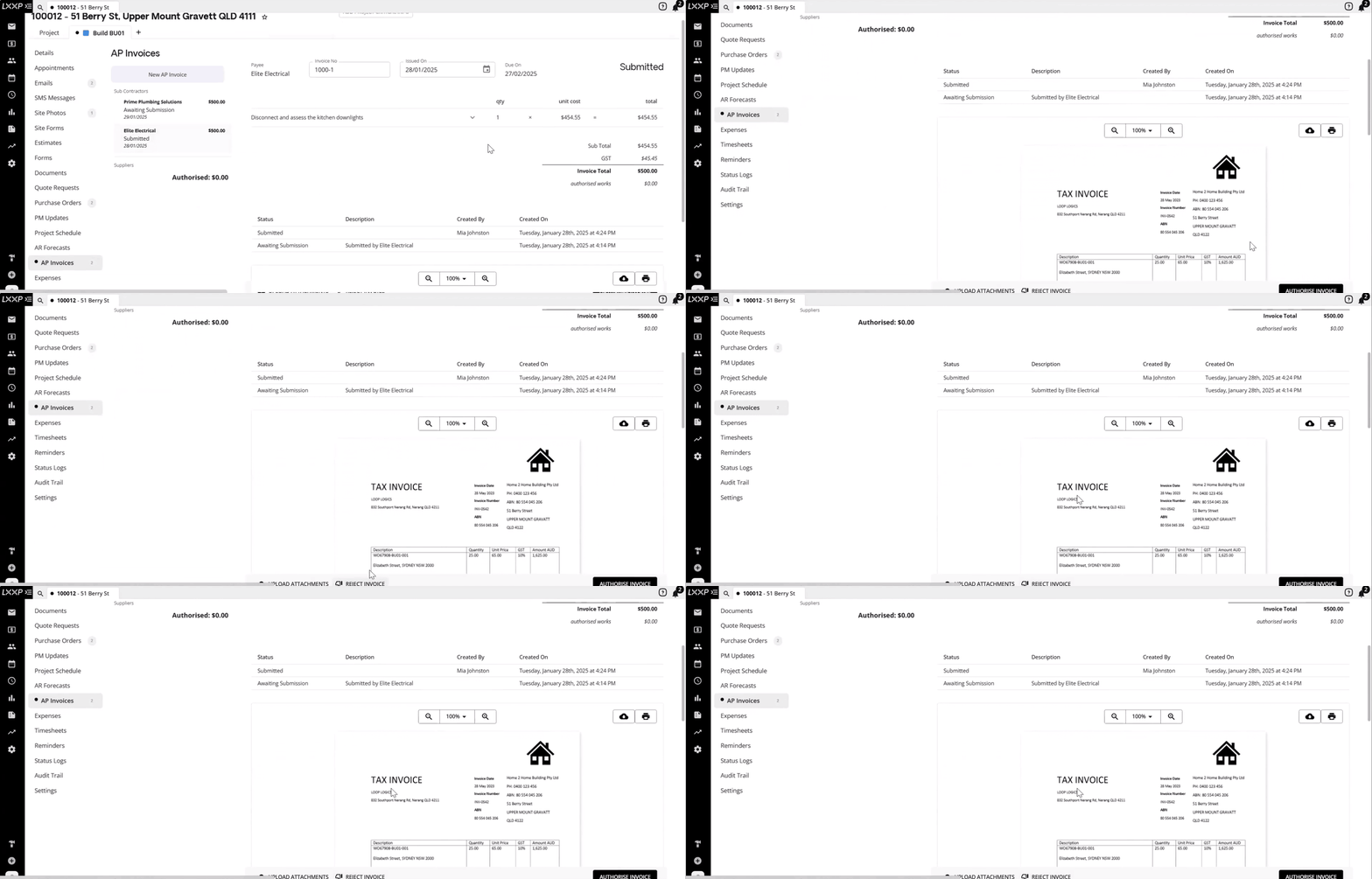
- Open the invoice and review the details, the invoice PDF, and any supporting documents against the work completed.
- Submit the invoice to the accounts department.
- Once submitted, the invoice's status updates to Submitted on the Account Payable Invoices dashboard, indicating it's ready for the accounts team to authorise.

Authorise or reject the invoice
- The accounts team can now select Authorise Invoice or Reject Invoice for each submitted invoice.
-
Once authorised, Loop automatically pushes the invoice through to your linked Xero or MYOB account for payment.
FAQ
Who gets notified when a subcontractor submits an invoice? The project manager assigned to the job. If no project manager has been assigned, the notification goes to the case manager or project admin instead.
What's the difference between "Awaiting Submission" and "Submitted" on the Account Payable Invoices dashboard? Awaiting Submission means the invoice is still waiting on review by the project manager or case manager. Submitted means it's been reviewed and passed to the accounts team, ready for authorisation.
What happens once an invoice is authorised? Loop automatically pushes it through to your linked Xero or MYOB account for payment — there's no need to re-enter it manually.
Can an invoice be rejected instead of authorised? Yes, the accounts team has the option to select Reject Invoice if it isn't ready to be authorised.
Where can I see all the AP invoices waiting on my review? The Account Payable Invoices dashboard (visible on your Loop homepage) lists every invoice by supplier, job, address, status, and amount — tick My to see only the ones assigned to you.
❓ Need Help?
If you have questions or need assistance, use the chat box in the bottom-right corner to contact the Loop Logics support team or email support@looplogics.com